
Simplify your travel plans with Trip Planner
Plan with ease
Save and compare travel plans in a seamless experience.
Stay organized
Keep all of your bookings and saved travel plans in one place.
Decide together
Collaborate with family and friends to plan your dream trip together.
Easily save, collaborate and book - all your travel plans in one place
Make your travel plans easier with Expedia's Trip Planner. From saving favorites and organizing, to deciding with your group and booking your ideal trip, everything is together all in one place. You can select your favorite stays and activities while you search, and then find them later in your account. Avoid the hassle of sending multiple links to a group chat by inviting your family and friends to collaborate on a group trip where they can share ideas and see everything at once. After you've settled on your itinerary, you can make the bookings you need and keep them organized all in one place. Its ease of use makes it one of the best trip planning tools around.

How Trip Planner works
Sign into your Expedia account to save and compare your favorites to a new trip, work together with your friends and family on your group vacation, and keep all of your bookings in one itinerary planner. It just takes a few clicks to get the ball rolling.
.png)
Create a trip and save your favorites to plan your itinerary
Go to the Trips tab on the homepage, click on "Create a trip", and type in a new trip name. Start trip planning by searching for stays or things to do at your destination. Tap the heart icon to save your favorites to the right trip.
.png)
Invite friends and family to create a group trip
Open your trip and invite your fellow travelers to collaborate in the Trip Planner. Once they accept the invitation sent to their email, they’ll be able to view, save more items, comment, and like their favorite options to help decide on the best ones to book.
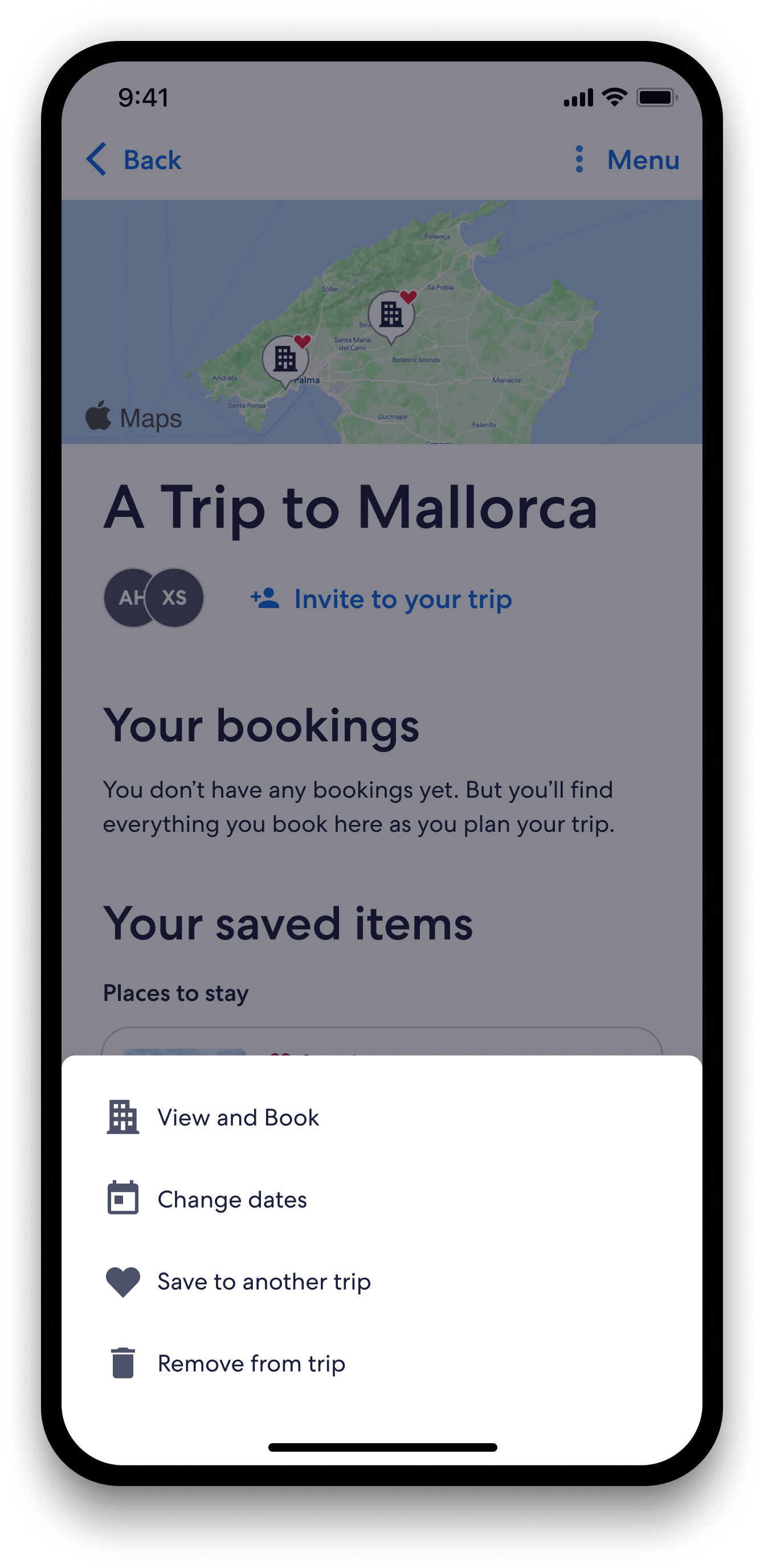
Book and manage your trip itinerary in the same place
Make all the bookings you need by tapping the three dots on your saved options. You can also change and cancel bookings in the same place.
Scan the QR code and download our app

Scan the QR code
FAQ: Learn more about Trip Planner
Get started with our Trip Planner in one of two easy ways:
1. Sign into your account, search for places to stay or things to do, and tap the heart icon on the image of a listing that you want to save. You'll be asked to create a new trip by giving it a name and saving it to your trip planner.
2. Head to the Expedia homepage, click on Trips in the top right corner (on desktop) or in the bottom menu bar (in the app), and then select "Create a trip".
Once you've signed into your account and created your trip, you can save accommodations and activities to your trip. Soon you will also be able to save your preferred flights in our Trip Planner.
Saving items in a travel planner online helps you stay organized by keeping all your favorite stays and activities saved in one place. Instead of switching between multiple browser tabs, just open our Trip Planner.
When you're ready to book, it's easy to compare options , see all your locations on a map, and book directly from your saved items.
Any time is a good time to start planning travels, and our Trip Planner can be used for everything from last-minute weekend getaways to a summer vacation planned over the winter. Just click on Trips on our homepage to get started.
Saving your stay and activities to a trip helps Expedia better understand your preferences, so we can recommend more places to go and things to do to fill out your travel plans and make your trip unforgettable. Take advantage of our vast inventory and useful filters to make sure you get the accommodations and activities for your ideal trip.
Head to the Expedia homepage and click on Trips in the top right (on desktop) or in the bottom menu bar (in the app). Select the trip that you want to view and look for "Saved items" to see all the items you've selected for that trip that haven't been booked yet.
With our trip planner, your booked and saved items are all in one place, which makes it easier to book your trip piece by piece.
On the Expedia homepage, click on Trips in the top right (on desktop) or in the bottom menu bar (in the app). Select the trip that you want to view and head to "Bookings" to see all the items booked for that trip.
When you plan a trip online with us, you can keep your booked and saved items all in one place, making it easier to manage and build your trip.
Yes, we've made it easy to move items, because we know that planning your trip can mean adding more places to see or splitting favorite destinations up into multiple trips.
First, select the trip that already has the items you want to move. For booked items, tap the three dots on the top right corner of the item and select "move to another trip". For saved items, follow the same process and select "save to another trip" instead.
Friends and family invited to collaborate on a trip with you will be able to view, save, and book items in your trip planner itinerary. All they need to do to start collaborating is accept the trip invite sent to their email.